Compatible with Chrome and Edge
Instruction Guide
We have a simple tutorial guide which explains the features of the software extension and what each button inside the extension does. Read our tutorial and welcome guide on how to use the extension to the fullest. Use all the features of this browser software.
If you are interested in other web extensions to install, you might wish to check out the Microsoft Bing Search with Rewards extension.
Microsoft Bing Search with Rewards Extension
It allows you to complete daily offers to get points.
Track the number of points you have currently and the rewards you can redeem with these points.
The ways to get points & get rewarded is search with Bing, browse with Microsoft Edge and shop at the Microsoft and Windows stores to earn rewards.
Sponsored Link:
Other useful extensions
Another extension which would be useful to install is the iCloud bookmarks extension.
It allows to keep your Chrome bookmarks on Windows synced up with the Safari bookmarks on your iPhone, iPad, and Mac.
iCloud will store your website bookmarks so it is accessible even on your iPhone and Mac.
Try these other two extensions and see if it will boost your daily productivity.
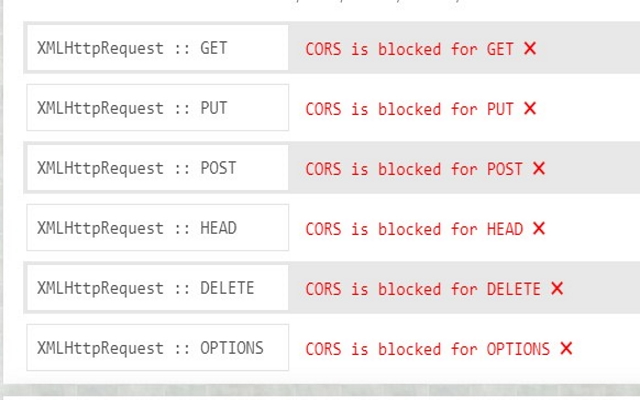
- Easily add (Access-Control-Allow-Origin: *) rule to the header. This allows you to test out your web software/websites while you are debugging/coding. Worry about CORs issues once you are ready to deploy your website. Dont worry about CORs errors while you in the midst of developing your web application Allow CORS: Access-Control-Allow-Origin lets you perform cross-domain Ajax requests in web applications. Simply switch on the add-on and perform the request. CORS or Cross Origin Resource Sharing is blocked in modern browsers by default.
Features:
Install and open.
- After installing the extension. You click on the icon to switch this feature on/off.
CORS (Cross-Origin Resource Sharing) is a mechanism that uses various HTTP response headers to allow a browser to fetch resources from a different origin than the one of the current document. This is required for certain types of AJAX requests, and can be used for other cases as well.
If you use CORS, you'll need to make sure that any resources are served with the correct headers in order for your application to work correctly. The browser would otherwise refuse all requests made from another domain.
CORS stands for Cross-Origin Resource Sharing, and it is a mechanism that allows resources on one web page to be accessed by another web page.
CORS is designed to protect the user's privacy. It prevents malicious code from being able to access sensitive data from other websites. However, there are cases where CORS can cause problems for web developers, especially when using AJAX requests.
Tutorial:
- Install the Extension
- After installing the extension, click on the icon on the toolbar.
Sponsored Link: